Why the Right Desk Chair Matters for All-Day Productivity
Key Takeaway
A reliable ergonomic office chair buying guide prioritizes five critical adjustments: seat height, adjustable lumbar depth, dynamic recline tension, 3D or 4D armrests, and certified ANSI/BIFMA durability to protect your spine during 8+ hour workdays.
Working eight or more hours at a desk exerts continuous static loading on your lower spine, leading to muscle fatigue and chronic posture issues. Investing in a high-performance ergonomic chair is not an aesthetic luxury; it serves as essential health infrastructure for remote workers and busy corporate professionals alike.
Without proper seat depth, lumbar curvature, and supportive arm positioning, your body instinctively slouches forward. Over months, this poor posture contributes to neck tension, tight hip flexors, and sciatic discomfort. Finding the right chair helps you maintain a balanced, neutral spine alignment naturally throughout your day.
Essential Adjustments to Check Before You Buy
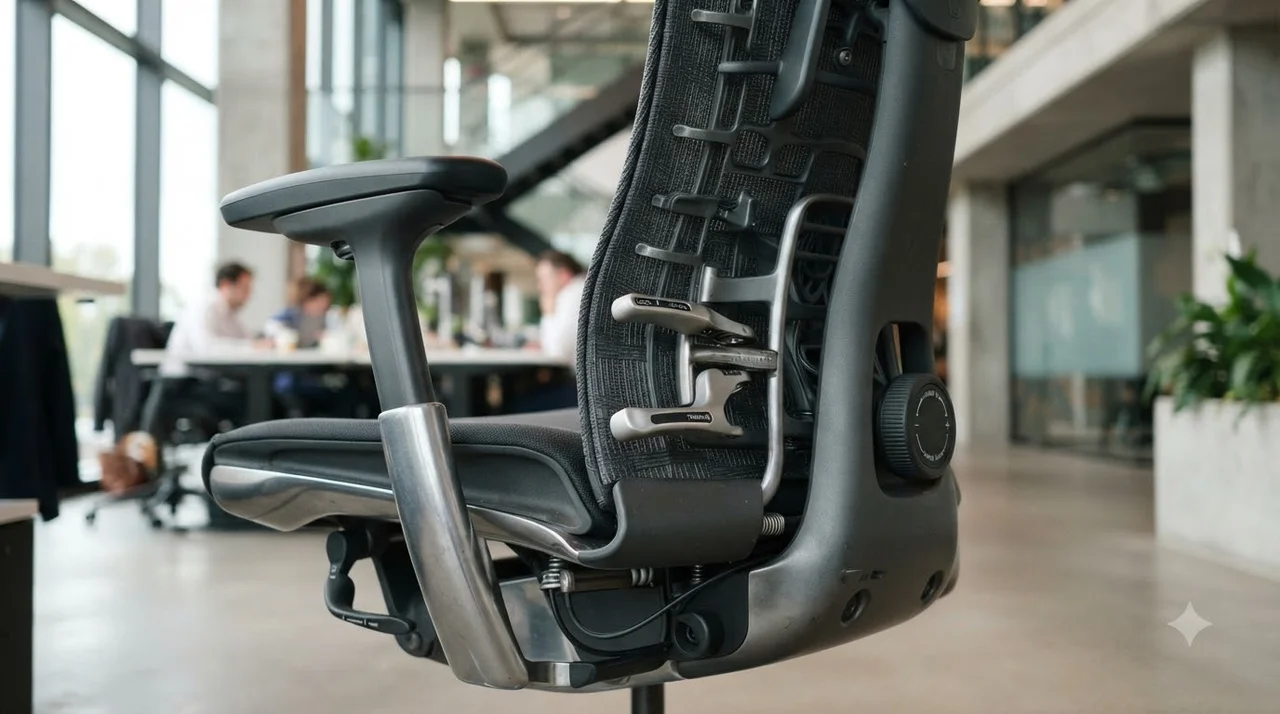
Not all chairs marketed as ergonomic offer the precise adjustments required for custom spinal support. When reviewing any potential candidate, verify that the seating mechanism provides full adjustability across the following anatomical zones:
1. Seat Height & Depth
Usable seat height should range between 16 and 22 inches to keep feet flat on the floor. Look for a sliding seat pan that preserves 2 to 4 fingers of clearance behind your calves.
2. Dynamic Lumbar Support
The lumbar bolster must adjust both vertically and in depth (or provide adaptive tension) to fit snugly into the inward lordotic curve of your lower back.
3. 3D / 4D Armrests
Armrests must adjust for height, width, depth, and pivot angle. This keeps your shoulders relaxed and elbows at a natural 90-degree angle without shrugging.
4. Synchro-Tilt Recline
Synchro-tilt mechanisms recline the backrest at a 2:1 ratio relative to the seat, allowing your torso to open up while keeping your feet anchored.
Mesh vs. Fabric vs. Leather: Material Comparison
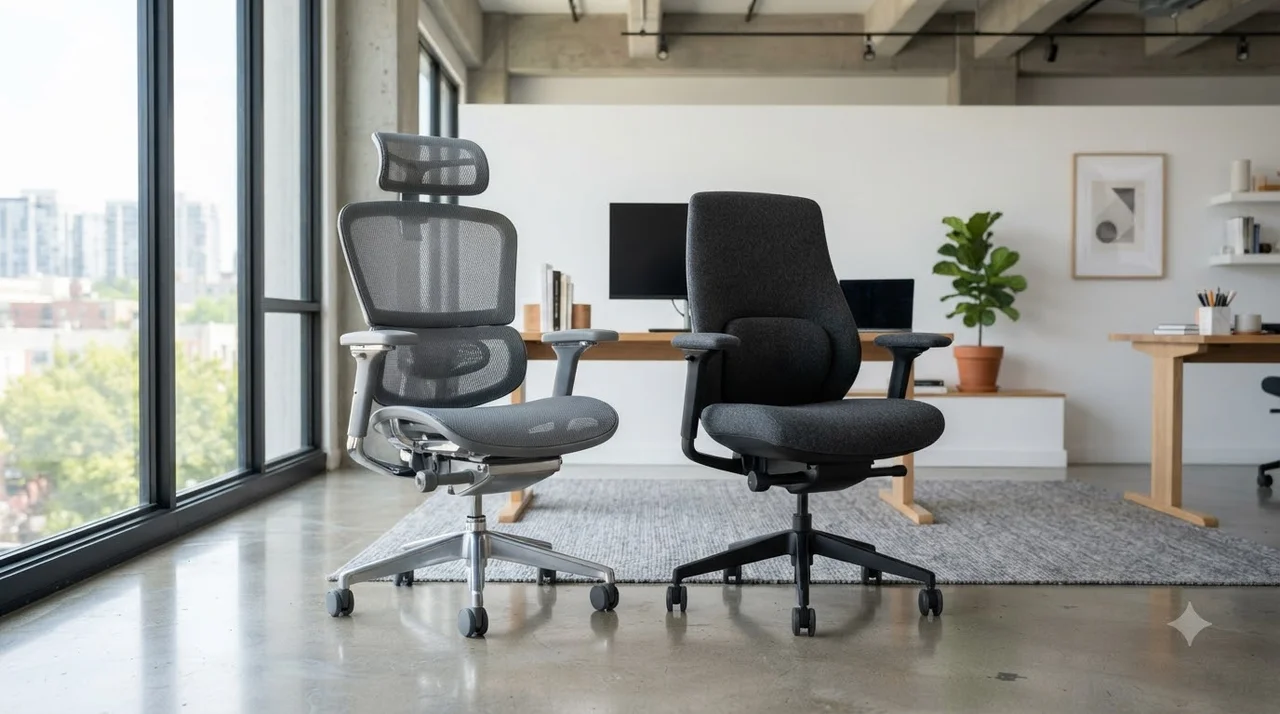
The choice of upholstery dictates long-term thermal comfort, maintenance routines, and seating firmness. Here is how the most common office chair materials compare:
| Material Type | Breathability | Durability | Best Suited For |
|---|---|---|---|
| Elastomeric Mesh | Excellent (Maximum Airflow) | High (Resists Sagging) | Hot climates, 8+ hour intensive computing |
| High-Density Foam & Fabric | Moderate | Very High (Molded Foam) | Users preferring plush, pressure-distributing cushions |
| Top-Grain / PU Leather | Low (Heat Retention) | High (Top-Grain) / Moderate (PU) | Executive boardrooms, shorter 3-4 hour work blocks |
Pro Tip: For users sitting over 8 hours daily, hybrid chairs featuring a breathable mesh backrest paired with a molded foam seat cushion offer the ideal balance of ventilation and tailbone pressure relief.
Step-by-Step Calibration: Setting Up Your Chair for 8+ Hours

Even the highest-tier ergonomic chair will fail to prevent fatigue if it is misaligned with your desk and monitors. Follow this straightforward step-by-step sequence to configure your workstation correctly:
Set Seat Height & Plant Feet
Adjust the pneumatic cylinder until both feet rest completely flat on the floor with knees bent at a 90 to 100-degree angle. If your desk height requires higher seating, use an ergonomic footrest.
Adjust Seat Pan Depth
Slide the seat pan forward or backward while pressing your back firmly against the backrest. Ensure there is a gap of 2 to 3 fingers between the front waterfall edge and the back of your knees.
Position Lumbar Support
Position the lumbar contour into the curve of your lower back (around the L1-L5 vertebrae). It should supply firm, steady contact without pushing your torso unnaturally forward.
Align Armrests with Desk Height
Adjust armrest height so your forearms rest parallel to the desktop while keeping your shoulder blades relaxed and neck unstrained.
Certifications & Buyer Checklist for Long Working Hours

Before finalizing your purchase, confirm that the chair holds verified commercial certifications. Look for ANSI/BIFMA X5.1 compliance, which guarantees the frame, gas lift cylinder, and tilt mechanism withstand rigorous long-term cycle testing.
Buyer Verification Checklist
- ☑ BIFMA / Greenguard Gold Certified: Validated structural safety and low VOC chemical emissions.
- ☑ Class 4 Gas Cylinder: Ensures stable, heavy-duty height retention without sudden drops.
- ☑ Weight Capacity Match: Rated for at least 275–300 lbs for optimal long-term durability.
- ☑ 5 to 12-Year Warranty: Industry-standard comprehensive warranty covering moving parts and foam.
“A true ergonomic task chair adapts dynamically to your natural micro-movements, encouraging active sitting while offloading static spinal stress.”
Frequently Asked Questions
What is the most important feature to look for in an ergonomic office chair for long working hours?
The most vital feature is adjustable lumbar support paired with seat depth adjustment. This combination ensures your lower back curvature is fully supported while preventing pressure buildup behind your knees during extended desk sessions.
Is a mesh office chair better than a cushioned foam chair for all-day use?
Both have advantages. Mesh chairs provide superior airflow and cooling, making them ideal for warm environments. High-density molded foam chairs offer plush contouring that distributes body weight across the sit bones. Many remote workers favor hybrid designs featuring a mesh back and a cushioned seat.
What does ANSI/BIFMA certification mean for office chairs?
ANSI/BIFMA indicates that the chair complies with stringent commercial safety, durability, and ergonomic standards established by the Business and Institutional Furniture Manufacturers Association. It confirms the chair can withstand continuous, rigorous daily use for years.
How often should I replace my ergonomic office chair?
A high-quality certified ergonomic office chair typically lasts 7 to 10 years. You should consider replacing it sooner if the pneumatic gas cylinder starts sinking, the lumbar tension softens, or the seat cushion bottoms out.
References and Links
- OSHA Computer Workstations eTool – Seating & Ergonomics
Official guidelines from the Occupational Safety and Health Administration detailing proper ergonomic chair dimensions and neutral seating postures. - BIFMA Seating Standards (ANSI/BIFMA X5.1)
Standard specifications and safety compliance criteria for commercial general-purpose office seating. - Mayo Clinic: Office Ergonomics Tips for Healthy Posture
Clinical guidelines on desk height, chair setup, and spine support to alleviate daily muscular strain.
👉 Read Next: Minimalist Desk Setup: Boost Productivity & Focus
👉 Read Next: 5 Smart Desk Gadgets to Streamline Your Daily Workflow