Why a Minimalist Desk Setup Transforms Your Daily Output
A minimalist desk setup is an intentional workflow system designed to strip away visual clutter and friction. By curating only essential tools within arm’s reach, you dramatically lower cognitive load, sharpen focus, and reclaim hours of deep productive work each week.
Every misplaced sticky note, stray charging cord, and half-empty coffee mug acts as a micro-distraction competing for your brain’s processing bandwidth. Transitioning to a clean workspace directly reduces cortisol and sharpens your mental stamina throughout long work sprints.
When your physical environment radiates order, your mindset naturally follows. Investing in a structured, streamlined workstation is the fastest upgrade to achieving consistent flow states.
3-Step Framework to Purge Clutter and Reset Your Workspace
Creating the perfect minimalist desk setup begins with an intentional reset rather than buying new gadgets. Follow this systematic three-phase decluttering process:
Remove every single item from your desktop until you are looking at bare wood or laminate. Wipe the surface clean to create a fresh psychological baseline.
Only return items to the desk surface that you touch daily: your monitor, input peripherals, audio gear, and a single drink coaster.
Store notebook journals, pens, backup drives, and accessories inside a dedicated desk drawer organizer or an adjacent credenza.
Essential Hardware: Single Monitor vs Dual Screen Configurations
Screen real estate dictates how seamlessly you navigate multitasking. Comparing the right screen arrangement is essential when curating a sleek, distraction-free environment:
Ultra-Wide Single Monitor (34″ – 40″)
Pros: Zero bezel gap, single video cable, seamless window snapping, clean floating aesthetic with a solitary monitor arm.
Best for: Creators, programmers, and minimalist purists seeking zero desk visual clutter.
Dual Display Setup (27″ Pair)
Pros: Dedicated fullscreen separation for reference documents and communication channels like Slack.
Best for: Financial analysts and multi-app power users willing to route additional monitor arms and cables.
Cable Management Mastery: The Zero-Wire Blueprint
Visible power bricks and tangled cables instantly destroy the aesthetic and mental calm of your workstation. A disciplined cable strategy is the backbone of any premier setup.
Mount a heavy-duty steel wire tray underneath your tabletop alongside a multi-outlet surge protector. Run a single braided power cable down a desk leg using magnetic clips or spine raceways to achieve a completely floating appearance.
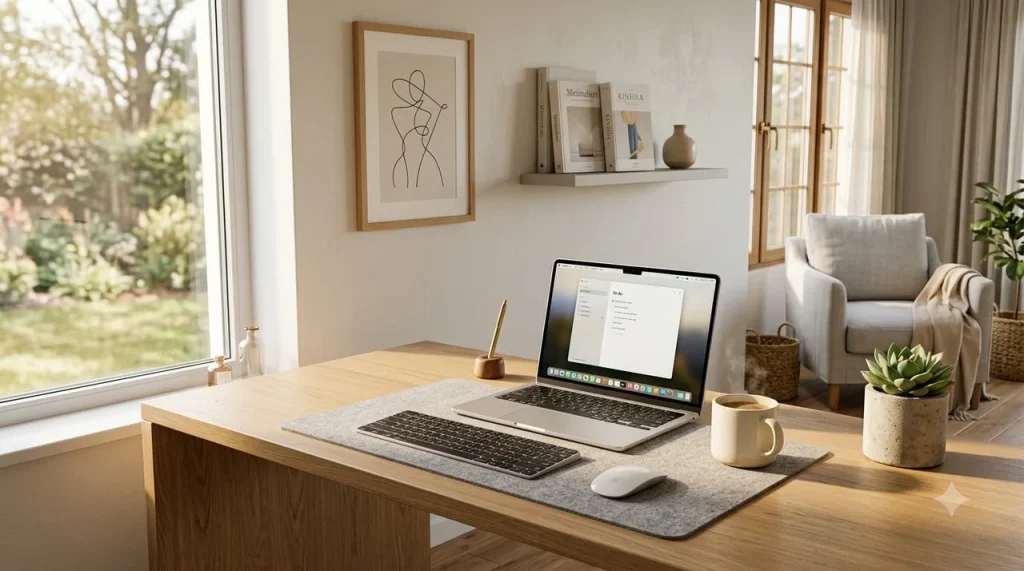
Opt for wireless Bluetooth accessories with long battery life. For devices requiring power, integrate a multi-device MagSafe wireless charging pad on top of a wool desk mat to reduce loose charging leads.
The 5-Minute Daily Shutdown Routine & Desk Checklist
Maintaining your organized workstation requires a brief transition ritual at the end of each workday. Use this checklist to reset your desk for tomorrow’s peak focus:
- [✓] Clear Drinkware: Return coffee mugs and water glasses to the kitchen dishwasher.
- [✓] Stash Loose Papers: File physical notes or shred temporary scrap notes immediately.
- [✓] Peripheral Alignment: Push your keyboard and mouse forward neatly onto the desk pad.
- [✓] Power Down & Dock: Dock your wireless devices on chargers and switch off screen light bars.
By consistently investing five minutes before logging off, you greet tomorrow morning with a clear visual canvas primed for high productivity.
Frequently Asked Questions
What is the most critical component of a minimalist desk setup?
A high-quality monitor arm paired with an under-desk cable management tray is the foundation. Lifting your display off its stock stand frees up significant desk space, making the entire setup look expansive and clean.
How do I choose the best desk size for a minimalist office?
For most home offices, a desk surface measuring 60 inches wide by 30 inches deep provides the ideal balance. It accommodates an ultra-wide screen, peripherals, and desk mat while preserving comfortable arm resting distance.
Are desk pads necessary for a minimalist desk setup?
Yes. A wool felt or premium leather desk mat serves as a visual anchor, dampens keyboard acoustics, protects the tabletop surface, and defines the primary zone for mouse and keyboard usage.
References and Links
- Ergonomics in the Workplace Guidelines – OSHA
Official safety recommendations for ergonomic workspace configurations, monitor positioning, and posture support. - Harvard Health – The Mental Health Benefits of an Organized Desk
Scientific perspectives on physical environment organization, cognitive overload reduction, and focus optimization.