Why Compact Standing Desk Converters Are Game Changers for Small Workspaces
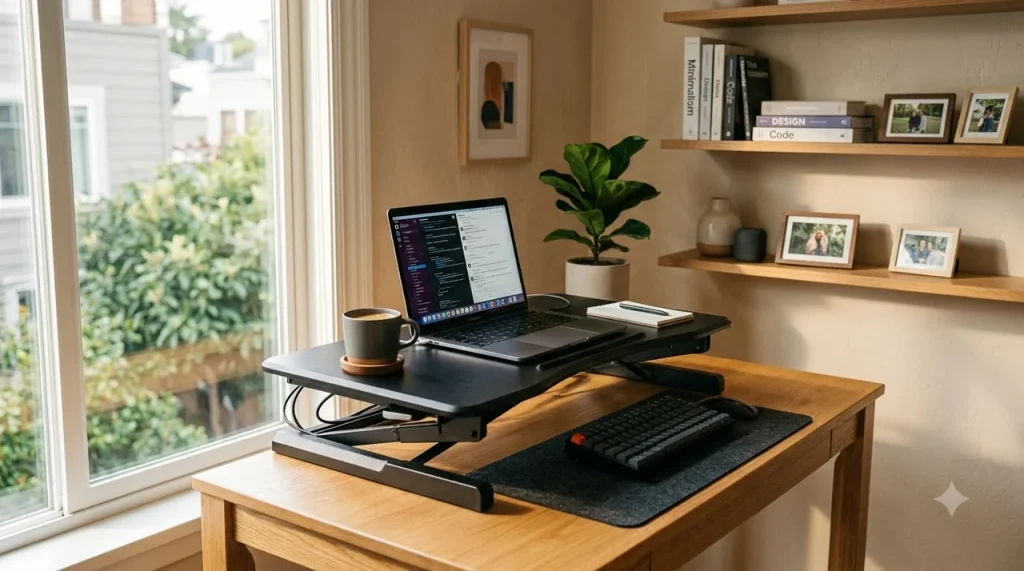
The best standing desk converters for small spaces allow you to switch seamlessly between sitting and standing without replacing your current desk or sacrificing precious floor real estate. If your desk depth is under 24 inches or you work from a cramped apartment nook, selecting a riser with a vertical X-lift mechanism and an ultra-compact footprint is the smartest way to stay active during long workdays.
⚡ Quick Takeaway
Choose straight vertical-lift risers measuring 28 to 32 inches wide to maximize posture benefits on shallow desks.
For desks shallower than 24 inches, avoid cantilevered Z-lift designs that push your keyboard outward. Opt for models like the FlexiSpot AlcoveRiser 28″ or VIVO Ultra Slim 32″ featuring pneumatic gas-spring assists and removable keyboard tiers.
Millions of remote professionals face a common dilemma: prolonged sitting causes persistent lower back tightness and midday fatigue, but standard 48-inch to 60-inch full-sized standing desks simply will not fit in a bedroom corner, closet office, or studio apartment. Full motor-driven standing desks also require dedicated electrical wall space, costly delivery, and complex assembly.
That is where space-saving sit-stand converters excel. These self-contained units sit directly on top of your existing writing table, secretary desk, or built-in countertop. By utilizing high-tension pneumatic gas springs or compact scissor brackets, they instantly elevate your laptop and external monitor to ergonomic eye level while requiring less than 2 square feet of base surface.
Top Compact Standing Desk Converters Compared: Specs and Dimensions
When workspace real estate is limited, precision matters down to the quarter-inch. A desk converter that is merely two inches too deep can overhang your tabletop, causing dangerous tipping hazards or forcing your office chair into the hallway.
Below is a side-by-side comparison of the top-performing compact standing desk converters engineered specifically for shallow surfaces and tight dimensions:
Notice how the base footprint depth often runs significantly smaller than the top platform width. This mechanical offset allows you to anchor the converter securely even if your supporting desk is under 20 inches in total depth.
Vertical X-Lift vs. Forward Z-Lift: Which Mechanism Fits Tight Rooms?
Understanding the mechanics behind how a converter elevates is the single most critical factor for small-space ergonomics. Many buyers make the mistake of buying standard converters that extend outwards as they lift, eating up valuable walking space.
Option A: Vertical X-Lift (Scissor)
Rises straight up within its own footprint. Does not shift forward toward your body. Ideal for tight cubicles, shallow 18″-24″ desks, and narrow walkways.
Option B: Forward Z-Lift (Cantilever)
Arcs outward by 5 to 9 inches as it rises. Requires at least 30 inches of room behind the desk. Great for spacious desks, but prone to tipping on narrow tables.
Here is where most people go wrong: they purchase a high-end Z-lift unit like classic early-generation models and realize that at max standing height, the keyboard tray is practically touching their chest. This forces you to roll your office chair far back into living areas or doorways.
💡 Pro Tip
If your room has less than 3 feet of clearance behind your office chair, strictly restrict your search to scissor-style vertical-lift converters. They maintain a zero-offset trajectory from 5 inches up to 20 inches.
Step-by-Step: How to Measure and Set Up a Compact Converter Setup
Before ordering any sit-stand converter online, taking five minutes to measure your host desk and equipment load will prevent annoying returns and improper ergonomic alignment. Follow this straightforward setup walkthrough:
Measure Host Table Depth & Weight Capacity
Check your table’s depth from front edge to back wall. Ensure the desk itself can support both the converter weight (typically 20-35 lbs) and your monitors (10-20 lbs) without bowing.
Determine Your Standing Elbow Height
Stand upright with shoulders relaxed and elbows bent at a 90-degree angle. Measure the distance from the floor to your elbows. Subtract your desk height to find the required converter elevation range.
Decide on Single Tier vs. Two-Tier Tray
If you type on a standalone laptop keyboard, choose a flat single-tier riser. If you utilize an external mechanical keyboard and mouse, pick a two-tier model with a quick-release lower tray.
Route Cables with 18 Inches of Slack
Position power cords and HDMI cables with sufficient extra slack. If wires are tied tightly while the desk is lowered, raising the riser will yank plugs out of your computer ports.
Essential Buyer’s Checklist for Small-Space Desk Converters
Before finalizing your purchase, run your prospective desk converter through this practical evaluation checklist. Compact models require careful balance between weight capacity and desktop clearance.
📋 Compact Converter Pre-Purchase Checklist
✔ Gas-Spring Pneumatics: Smooth single-handle lever operation that lifts at least 25 lbs effortlessly.
✔ Collapsed Minimum Height: Base rests 1.5 to 2.5 inches above desk level so sitting typing posture isn’t compromised.
✔ Dual-Tier Modularity: Removable keyboard shelf in case you ever want to convert it into a single-surface writing pad.
✔ Pre-Assembled Out of Box: Zero or minimal tool assembly needed for immediate deployment in small rooms.
⚠️ Caution
Avoid placing heavy monitor arms or dual 27-inch screens on lightweight converters rated under 20 lbs. Exceeding the gas strut limit makes lifting dangerously jerky and could destabilize hollow-core honeycomb desks (such as IKEA Linnmon tops).
Pro Tips to Maximize Ergonomics Without Crowding Your Workspace
Setting up a standing desk converter in a cramped room requires intentional accessories and habits to avoid clutter. Follow these tested workplace strategies to keep your compact sit-stand workflow seamless:
1. Utilize Vertical Screen Stacking: Instead of side-by-side dual monitors that widen your setup beyond 40 inches, mount your laptop below a single 27-inch 4K monitor. This saves 15 to 20 inches of horizontal desk space while offering dual-screen productivity.
2. Adopt the 20-8-2 Ergonomic Rhythm: Prolonged standing can cause foot fatigue and varicose veins just as prolonged sitting harms spinal posture. The Cornell University Ergonomics Web suggests a balanced ratio: for every 30 minutes, sit for 20 minutes, stand for 8 minutes, and move or stretch for 2 minutes.
3. Pair with a Compact Anti-Fatigue Mat: When standing on hard floors, your knees and lower lumbar spine absorb significant impact. Invest in a 18″ x 24″ high-density polyurethane anti-fatigue mat that easily slides under your desk when sitting back down in your office chair.
Final Verdict: Which Compact Standing Desk Converter Should You Buy?
The short answer is: match the converter’s lift geometry to your desk depth. For the vast majority of small apartments, studio setups, and shallow home office desks under 24 inches, the FlexiSpot AlcoveRiser 28″ offers the ideal combination of true vertical scissor lifting, robust 33-lb capacity, and an ergonomically lowered keyboard tray.
If you are working exclusively with a single lightweight laptop and prioritize an ultra-thin profile that folds down flat when not in use, the VIVO Ultra Slim (DESK-V000U) delivers exceptional value under $120 USD. Meanwhile, professionals requiring commercial-grade durability and heavy monitor mounts will appreciate the rock-solid build of the VariDesk Essential 30.
By selecting a converter built with a space-conscious vertical lift, you gain all the physical health, posture, and focus advantages of an active standing desk setup without having to sacrifice your compact living space.
Frequently Asked Questions
Can I put a standing desk converter on a small 20-inch deep desk?
Yes, provided you choose a vertical X-lift converter with a base footprint depth under 18 inches. Models like the VIVO Ultra Slim or FlexiSpot 28-inch fit securely on 20-inch deep surfaces because their support frames do not overhang the front edge.
Do standing desk converters wobble when typing in standing mode?
High-quality converters with steel scissor frames and gas struts remain very stable. However, to minimize keyboard wobble, keep the total gear weight within 70% of the maximum weight limit and ensure the host table legs are level on your floor.
What is the difference between a Z-lift and an X-lift standing desk converter?
A Z-lift converter arcs outward toward your body by 5 to 9 inches as it rises, requiring extra room behind your chair. An X-lift (scissor) converter rises straight up and down within its own footprint, making it far superior for small spaces.
Are standing desk converters heavy to lift manually?
Most modern converters use pneumatic gas-spring cylinders that counterbalance your equipment’s weight. Squeezing the side release handle allows you to lift up to 30 lbs of computer gear with just a few pounds of hand effort.
References and Links
- CNET: Best Standing Desk Converters Guide
Comprehensive comparative reviews and lab performance evaluations for top sit-stand desk risers. - Cornell University Ergonomics Web: Workstation Setup Guidelines
Academic research and best practices on sitting-to-standing work intervals and posture optimization. - Business Insider: Top Standing Desk Converters Tested
Hands-on testing results assessing footprint dimensions, lift mechanisms, and weight capacities.
👉 Related: Standing Desk Buying Guide: Boost Posture & Focus
👉 Related: Ergonomic Office Chair Buying Guide for Long Working Hours