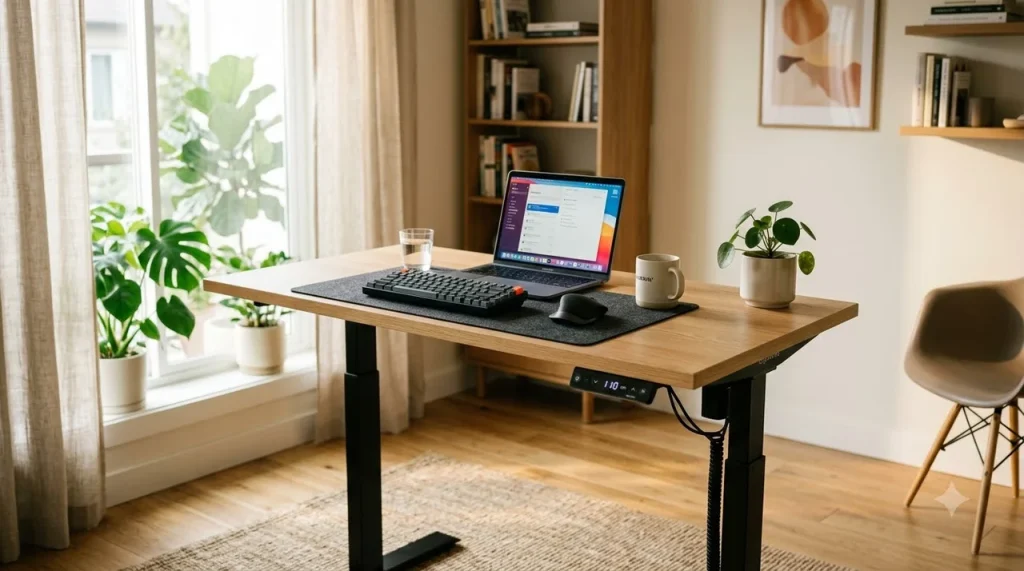
Why Upgrading to a Height-Adjustable Desk Transforms Daily Productivity
The short answer to eliminating sedentary workday fatigue is choosing an electric sit-stand desk that aligns precisely with your elbow height while supporting smooth position transitions throughout the day.
⚡ Quick Takeaway
Look for a dual-motor standing desk with a height range matching your sitting and standing elbow height (22.5” to 48.5”), programmable memory presets, and at least 250 lbs lifting capacity.
Pairing an adjustable frame with Cornell University’s 20-8-2 movement protocol reduces spinal disc compression by up to 87% and prevents the afternoon energy crash without requiring continuous, fatiguing standing.
Modern knowledge workers spend an average of 9.5 hours every day seated in front of digital displays. Over time, sustained static sitting restricts blood circulation, weakens core stabilizer muscles, and forces the cervical spine into a forward tilt commonly known as ‘tech neck.’ While standard office desks lock your body into rigid angles, dynamic standing desks allow seamless shifts between active standing and supported sitting.
However, buying the wrong desk—such as a wobbly single-motor model with an inadequate height travel range—often results in frustrated users abandoning the standing feature within weeks. This comprehensive guide breaks down the essential technical criteria, ergonomic mechanics, and practical setup formulas required to invest wisely in a workspace that enhances your physical posture and cognitive stamina.
Key Specifications Comparison: Finding the Right Tier for Your Budget
Standing desks range dramatically in build quality, stability mechanisms, and pricing—from budget single-motor units under $250 to commercial-grade 3-stage dual-motor workstations exceeding $800.
When evaluating desks across these tiers, the primary trade-offs center around structural deflection at peak heights and motor synchronization. Premium frames utilize inverted three-stage telescoping columns paired with cold-rolled steel gussets, virtually eliminating monitor wobble during rapid mechanical keyboard typing.
Single Motor vs. Dual Motor: Which Mechanism Fits Your Setup?
The core mechanical heart of any motorized desk is its lifting powertrain. Choosing between single-motor drive rods and dedicated dual-motor systems determines long-term reliability and noise levels during calls.
Dual-Motor Systems
Dedicated motor housed inside each leg column. Provides faster lift speeds (1.5″/sec), whisper-quiet operation under 48 dB, and independent load balancing for multi-monitor rigs.
Single-Motor Systems
One central motor driving both legs via a hex rotation rod. Slower transit speeds (0.8″–1.0″/sec), higher mechanical strain, and lower total weight threshold under 170 lbs.
Dual-motor desk frames provide significant advantages for home office power users. Because the lifting burden is distributed across two coordinated electric actuators, the motors run significantly cooler, reducing thermal cutoff triggers during repeated adjustments. Furthermore, dual motors allow advanced digital keypads to offer millimetric precision with four programmable memory presets.
💡 Pro Tip
Always calculate your total payload before buying. A solid 60″ x 30″ wood desktop (45 lbs), two 27-inch monitors with heavy-duty arms (28 lbs), studio audio speakers (15 lbs), and a desktop PC tower (30 lbs) add up quickly. A dual-motor desk with a 300+ lbs rating provides ample headroom for smooth, unlabored lifting.
Ergonomic Alignment: How to Calculate Your Ideal Desk & Monitor Height
Purchasing a premium height-adjustable desk is only half the battle. If your standing height forces your wrists to bend upwards or causes you to tilt your chin down toward the screen, you will trade lower-back tension for severe neck and shoulder strain.
Measure Standing Elbow Height
Stand naturally in the shoes or barefoot mat setup you use daily. Bend your elbows at a 90-degree angle with relaxed shoulders. Measure the distance from the floor to the underside of your forearm. Your desk surface should match this height exactly.
Position the Monitor Top at Eye Level
Set your primary screen directly in front of you, approximately 20 to 28 inches away (about an arm’s length). The top third of the display must sit precisely at eye level, ensuring a natural 15-to-20-degree downward gaze.
Program Seated and Standing Memory Presets
Once dialed in, save your exact heights into the controller presets (Button 1 for sitting, Button 2 for standing). Eliminating manual adjustments removes friction and ensures consistent posture every transition.
Ergonomic science demonstrates that forearm support is critical. Keeping your elbows bent between 90 and 100 degrees while resting your forearms horizontally relieves pressure on the median nerve in your wrists, preventing carpal tunnel irritation during extended typing sessions.
The 20-8-2 Rule: Structuring Your Workday for Peak Mental Focus
A frequent mistake among new standing desk owners is attempting to stand for 6 to 8 hours continuously on day one. Research from the Ergonomics Laboratory at Cornell University shows that static standing for prolonged durations causes blood pooling in the lower extremities, increases foot arch strain, and induces lumbar fatigue.
Instead of extreme standing, Professor Alan Hedge developed the evidence-backed 20-8-2 Movement Protocol for every 30-minute working cycle:
📋 The 30-Minute Ergonomic Cycle
✔ 8 Minutes Standing: Active engagement, emails, review sessions, or meetings.
✔ 2 Minutes Dynamic Movement: Gentle stretching, walking to refill water, or light calf raises.
Across an 8-hour shift, this formula yields approximately 5 hours of seated work, 2 hours of standing, and 30 minutes of intentional physical movement spread across 16 gentle postural transitions. This rhythmic cycling optimizes cerebral blood flow and dopamine levels, keeping cognitive focus sharp without depleting physical energy.
Critical Mistakes to Avoid When Setting Up Your Adjustable Workstation
Here is where many standing desk investments run into costly pitfalls. Avoiding common installation and environmental errors will ensure your setup remains comfortable and durable for years.
⚠️ Caution
Never stand on bare hardwood, concrete, or thin rugs for extended work periods without an ergonomic anti-fatigue mat. Doing so increases plantar fascia pressure and compresses knee joints.
Watch out for these critical setup pitfalls before tightening the final screws:
1. Ignoring Cable Tension Slack: Always route your display, power, and peripheral cables through an under-desk cable management tray with the desk raised to its absolute highest elevation. If cables are cut or tied too tight at sitting height, raising the desk will rip ports and damage delicate electronics.
2. Overlooking Anti-Collision Sensors: Ensure the motorized frame includes a 6-axis gyroscope anti-collision sensor. If a desk descends upon an armrest or lower file cabinet without automatic rebound detection, the motors can crack the desktop or ruin underlying furniture.
3. Working Directly on Laptop Screens: Looking down at a laptop keyboard while standing forces severe cervical flexion. Always pair your desk with an adjustable monitor arm and an external keyboard/mouse tray to separate screen height from typing height.
Essential Accessories Checklist: Completing Your Active Ergonomic System
A standing desk frame provides the foundational structure, but the right companion accessories transform it into a high-performance productivity station.
📋 Recommended Ergonomic Add-Ons
✔ Gas-Spring Monitor Arm: Allows fluid height and depth recalibration between sitting and standing postures.
✔ Under-Desk Cable Spine & Power Strip: Consolidates all desk power cords into a single flexible umbilical line running to the wall outlet.
✔ Locking Heavy-Duty Casters: Optional wheel attachments that allow effortless repositioning for room cleaning or office reorganization.
By incorporating these purpose-built accessories, your sit-stand workstation becomes an intuitive workspace that naturally promotes movement, prevents physical fatigue, and protects long-term spinal alignment.
Frequently Asked Questions
What is the ideal height for a standing desk?
The ideal standing desk height aligns directly with the underside of your forearms when your elbows are bent at a 90-to-100-degree angle with relaxed shoulders. For someone who is 5’10”, this is typically between 41 and 44 inches from the floor, including shoes or an anti-fatigue mat.
Is a single-motor or dual-motor standing desk better?
Dual-motor standing desks are generally superior because they house independent electric actuators in each leg. They offer faster height adjustments, quieter performance under 50 dB, and significantly greater weight capacities (often 250 to 350+ lbs) compared to single-motor models.
How many hours a day should you stand at a standing desk?
Ergonomic researchers recommend standing for approximately 2 to 4 hours in total across an 8-hour workday. Following Cornell University’s 20-8-2 formula (20 minutes sitting, 8 minutes standing, 2 minutes moving every half-hour) ensures optimal cardiovascular and postural benefits without causing leg fatigue.
Do standing desks really improve focus and energy?
Yes. Peer-reviewed workplace studies show that transitioning between sitting and standing stimulates peripheral blood circulation, elevates oxygen supply to the brain, and reduces mid-afternoon sluggishness, resulting in measurable improvements in focus and task completion efficiency.
References and Links
- Cornell University Ergonomics Web: Sit-Stand Working Programs
Ergonomics research and the 20-8-2 sit-stand-move ratio developed by Dr. Alan Hedge. - OSHA Computer Workstations Ergonomics Guidelines
Official US occupational safety standards for neutral posture, desk height, and monitor distance. - BIFMA Ergonomics Standards (ANSI/BIFMA G1-2017)
Commercial furniture ergonomics guideline for height-adjustable desks and workspace dimensions.
👉 Related: Ergonomic Office Chair Buying Guide for Long Working Hours
👉 Related: Smart Plug Automations: Cut Phantom Power & Automate Routines